News

Announcements around GoEdit. Release notes for every version are in the changelog.

Confluence Cloud

New GoEdit for Confluence Cloud Forge-App
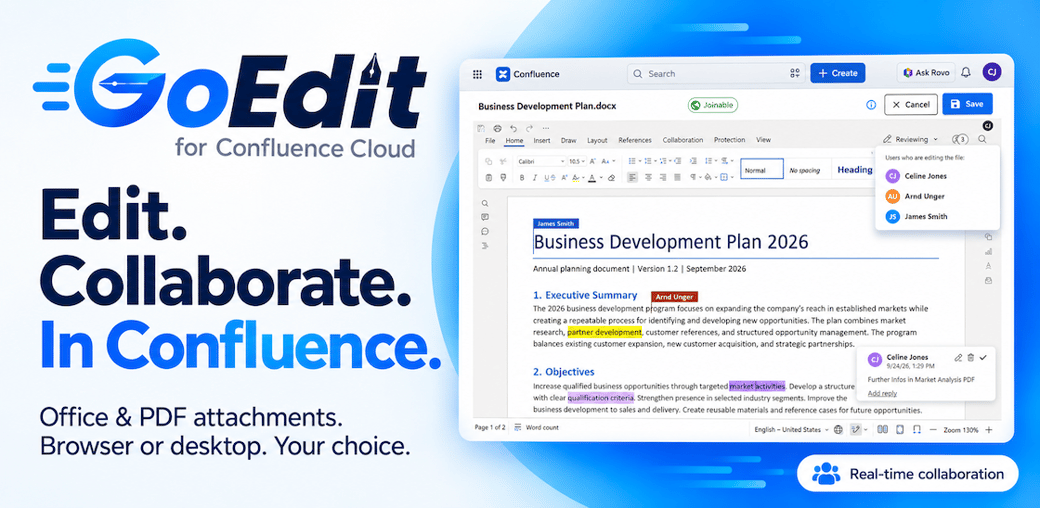
GoEdit for Confluence Cloud – Edit. Collaborate. In Confluence. Office & PDF attachments. Browser or desktop. Your choice.

GoEdit Desktop Client got a major update with lots of improvements as managing active edits, resume editing, upload new versions with comments.

⚠️ Important: As Atlassian broke the existing Connect app with the release of the new Forge app, the Connect app stopped working on the 17th November. More details

Please update your GoEdit by:

  1. update your GoEdit Confluence App via Atlassian Universal Plugin Manager (UPM)
  2. upgrade your GoEdit Desktop Client to v4
    (see company-wide installation via MSI/GPO, to install GoEdit for all users)

GoEdit comes as Standard and Advanced Edition. Customers with an active subscription are enabled to use all features of the Advanced Edition. In this way you can discover all new GoEdit features ✨

About the new GoEdit

The new GoEdit for Confluence Cloud allows direct browser editing, real-time collaboration and a newly developed desktop client together in one attachment solution.

  • Improved privacy: Editing with GoEdit Desktop Client v4 will download and upload attachments into Confluence Cloud directly. No third parties or services are processing your attachments.
  • Browser editing: Edit Word, Excel and PowerPoint attachments directly in Confluence without a local Office installation.
  • PDF editing: Edit PDFs directly in your browser, including annotations and comments.
  • Flexible collaboration: Work privately or collaborate in real time on Office documents and PDFs.
  • New widget: Embed the new GoEdit widget in any Confluence page to manage files, versions, labels and properties, restore previous versions and download all attachments as a ZIP file.
  • Please note, that Atlassian removed the functionality to add buttons to Confluence Cloud ‘native attachment tables’. You can edit attachments from the new GoEdit widget or use the by-line item next to the Page-Title called ‘Attachment’. Atlassian plans to add the ‘webitem’ integration back to Forge apps, but they have not done this yet.
More infos about GoEdit for Confluence Cloud

Confluence Cloud

GoEdit for Confluence Cloud: Updated Privacy Policy

We have published an updated Privacy Policy for GoEdit for Confluence Cloud to reflect the latest changes to our software and data handling practices. GoEdit has been completely redesigned, including a new Confluence macro for managing attachments and a new desktop application for managing files locally. The new Version will be public available around October. As part of this update, we have further strengthened our privacy approach. Attachments are stored exclusively in Confluence Cloud and on the user’s desktop. The updated Privacy Policy provides more details about how GoEdit handles and protects user data.

Our updated Privacy Policy valid on 1st October 2026 is available here: GoEdit Privacy Policy

Security

GoEdit not affected by OpenSSL issue

  • GoEdit does not use the affected OpenSSL 3.x library
  • Instead GoEdit only uses the secure OpenSSL 1.1.1 which is not affected from the current issue
Security

GoEdit not affected by Log4j issue

  • GoEdit for Confluence Cloud does not use Log4j, thus it is not affected.

  • GoEdit for Confluence/Jira on Server/Data Center uses the Log4j version of Atlassia (bundled with Atlassian) – so if Atlassians Confluence is not affected, GoEdit is neither. In addition, GoEdit does not log any user-input data with Log4j, so even if Confluence would be affected by the Log4j bug, it could not be exploited within GoEdit.

Confluence Server

Check out GoEdits revamped attachment locking function!

GoEdit now comes with a new completely modernized and revamped attachment locking function including new features and many improvements.

Features

  • Now the popover dialogs and buttons are displaying when and by whom a document is locked.
  • Users can also see the locking duration and can point out too long lockings.
  • A new feature links directly to the currently editing users profile and helps to get in contact.

Get the latest version and see how the modernized locking function works!

Desktop

New Windows Installer Package (MSI) available for GoEdit

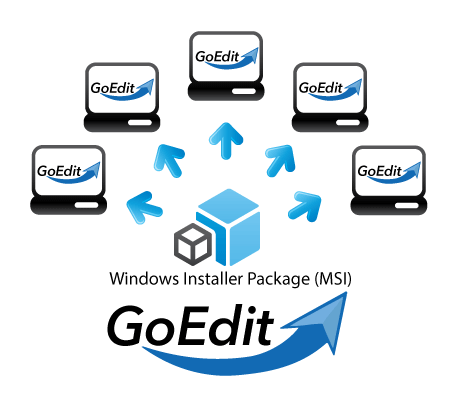
GoEdit Windows Installer Package (MSI)
The new Windows Installer Package (MSI) allows automatic mass deployment of GoEdit on all computers via central Group Policies.

Key features of Windows Installer Package (MSI)

  • GoEdit for all users
    Easily setup all clients via software deployment and Group Policy Objects (GPO)
  • Build on standards
    Windows Installer Packages (MSI) are the Microsoft standard for maintenance
  • Companywide updates
    Keep all your computers up to date with central rule

Get the new MSI Package!
Current GoEdit versions are already pre-packaged as MSI, just download it via your GoEdit configuration page. See GoEdit documentation for further informations.

Jira Server

JIRA integrates Smart Attachments for GoEdit

GoEdit and Smart Attachments

GoEdit from now on integrates with Smart Attachments, an attachment management tool developed by StiltSoft – making the handling of attachments even faster and clearer.

Key features of Smart Attachments

  • Revisions
    Enables the use of attachment revisions within JIRA
  • Categories
    Categories allow a clear and easy management of attachments
  • Bulk operations
    Fast bulk actions to perform routine operations
  • Workflow automations
    Built in option to run operations/validations automatically

GoEdit within Smart Attachments in Jira

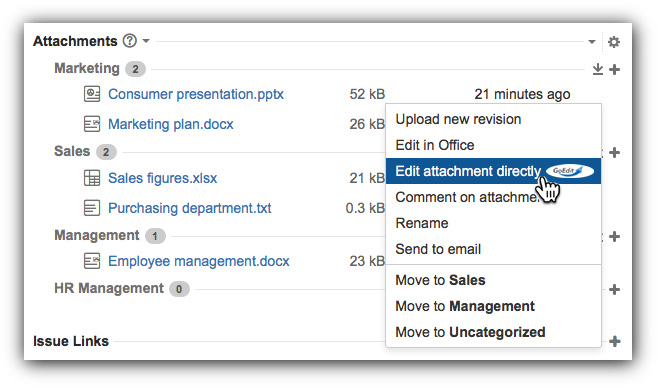
In this screenshot you can see how to easily access GoEdit within Smart Attachments.

Benefits for your company

The vast amount of attachments available on companies management systems often leads to a confusing surface, slowing work progression. Smart Attachments helps to clean up the clutter of attachments, in a way that the company benefits greatly from it, e.g. by ordering attachments in an easy to find manner, regardless of how many attachments there are – this saves time by either creating a employee-friendly environment as well as lowering the average seek time needed to find a specific attachment.

Confluence Server

New Arsenale Lockpoint Integration for GoEdit for Confluence Server

In addition to the free build-in attachment checkout and locking functionality of GoEdit, you can now also run GoEdit with your Arsenale Lockpoint functionality.

Feature Highlights

  • Lockpoint’s locking and unlocking functions are seamlessly integrated into GoEdit
  • GoEdit “Edit attachment” function locks files in Arsenale Lockpoint automatically
  • “Save” & “Cancel” within the GoEdit dialog automatically unlock Lockpoint file locks
  • GoEdit file locks are displayed by Arsenale Lockpoint’s regular user interface

More to come – the future!
Future releases of GoEdit will extend checkout and locking functionality so you don´t have to buy Arsenale Lockpoint as a separate plugin.

Planned features are:

  • System wide checkout and locking of all Confluence and JIRA attachments
  • Users can manually check-in /-out attachments
  • Checkout and locking of further 3rd party contents (Gliffy, Lucidcharts etc.)
Confluence Cloud

GoEdit available for Confluence Cloud

GoEdit for Confluence is ready for Atlassian Cloud. Goedit leaves it’s beta state and is finally production ready for the cloud version of Atlassian Confluence.